Pipes
Draw pipes
Press P or click the pipe tool, then click to place each corner. The ends snap to the orange connection points on equipment; double-click, press Enter or right-click to finish a pipe that ends in open space. Hold Shift for 45° runs.
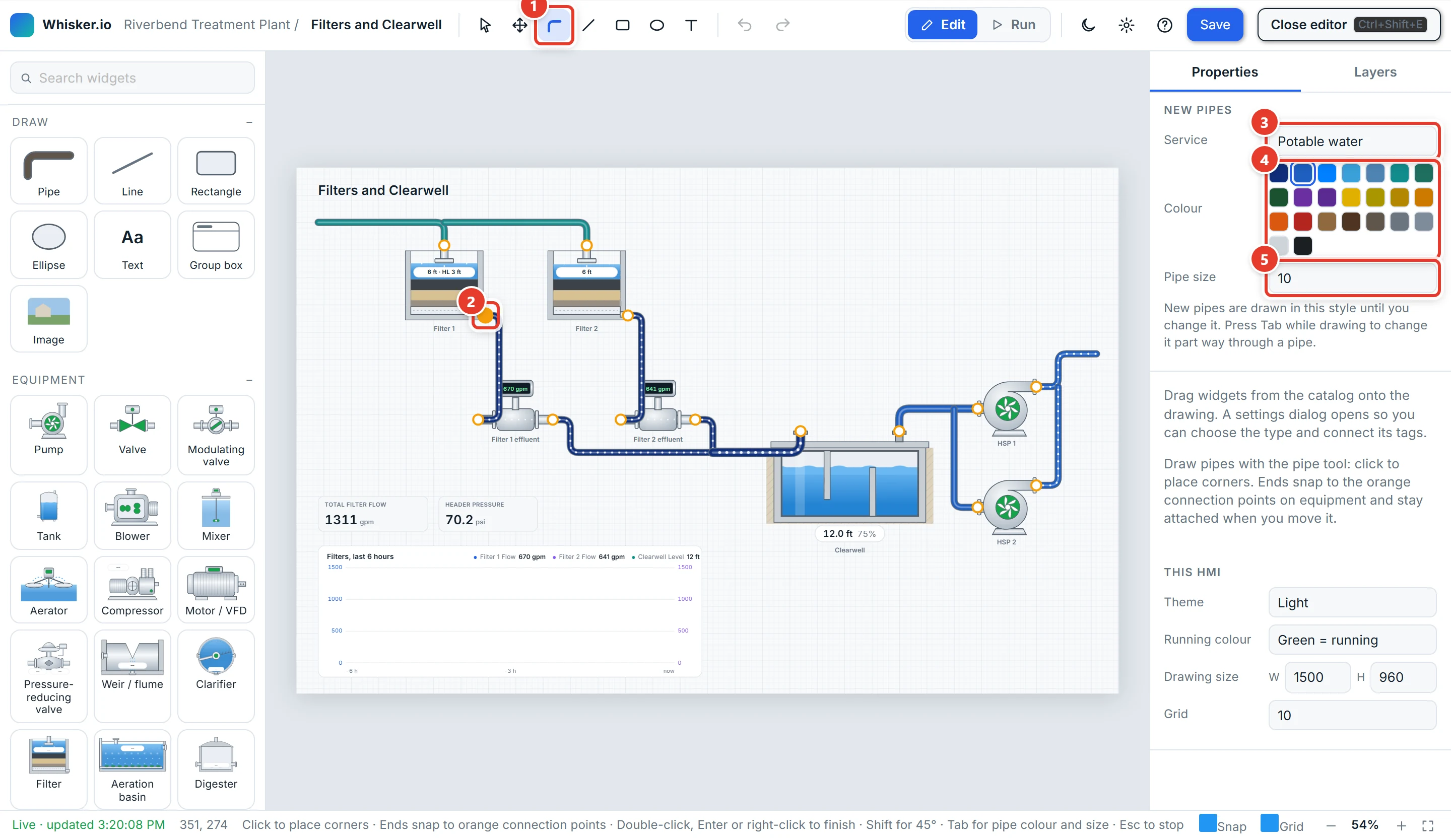
- The pipe tool.
- A connection point. It lights up when the pointer is on it. A pipe attached to one follows the equipment when you move it.
- Service for the pipes you draw next (raw water, backwash, chlorine, ...).
- Colour: the service's colour, or any colour in the palette.
- Pipe size. On equipment, a pipe is sized to match it (Match equipment size).
The style stays until you change it: set it to backwash and every pipe you draw is backwash until you pick something else.
Change the style part way through a pipe
Press Tab while drawing. The pipe style box opens over the drawing; change it and press Tab or Esc to carry on drawing.
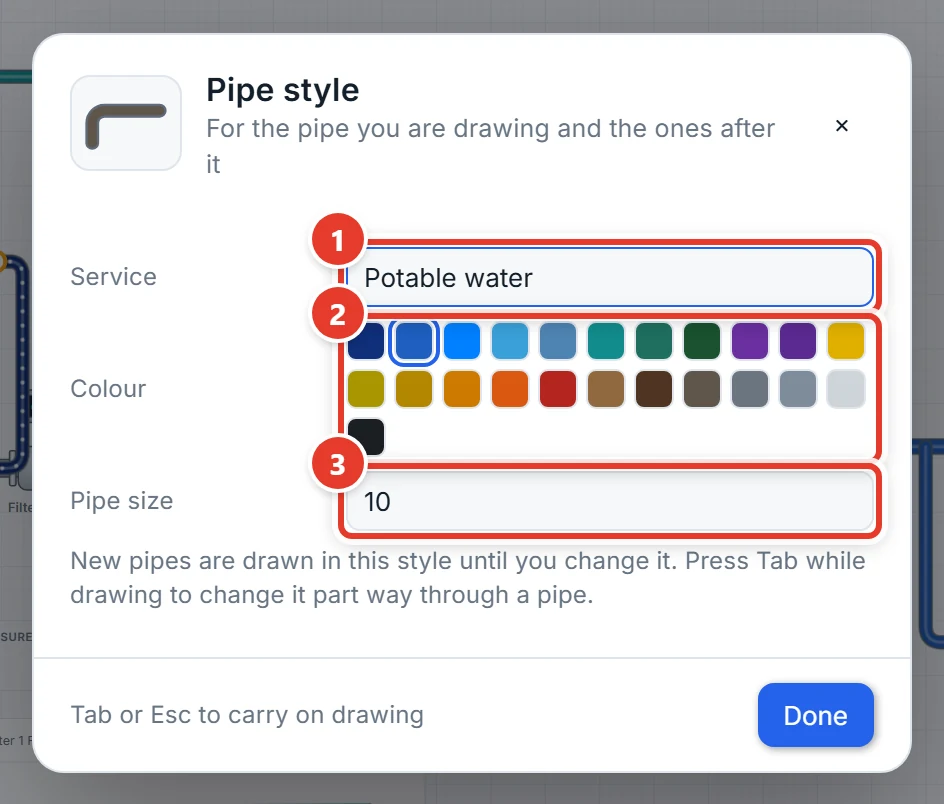
- Service.
- Colour.
- Pipe size.
Pipe colours
Each service has its colour. The palette has only these colours, so pipes of the same service always match exactly.
| Service | Colour | Service | Colour | |
|---|---|---|---|---|
| Raw water | green-teal | Chlorine | yellow | |
| Settled water | teal | Caustic (sodium hydroxide) | olive yellow | |
| Finished / clean water | navy | Alum / coagulant | amber | |
| Potable water | blue | Polymer | orange | |
| Backwash | tan | Fluoride | sky blue | |
| Reclaimed water | purple | Ammonia | white | |
| Plant / utility water | light grey | Permanganate | violet | |
| Wastewater | grey-brown | Chemical | gold | |
| Sludge | brown | Air | steel blue | |
| Drain | grey | Compressed air | dark green | |
| Gas / biogas | red | Other | any palette colour |
The palette also has a light blue and black for anything else.
Add or remove a corner
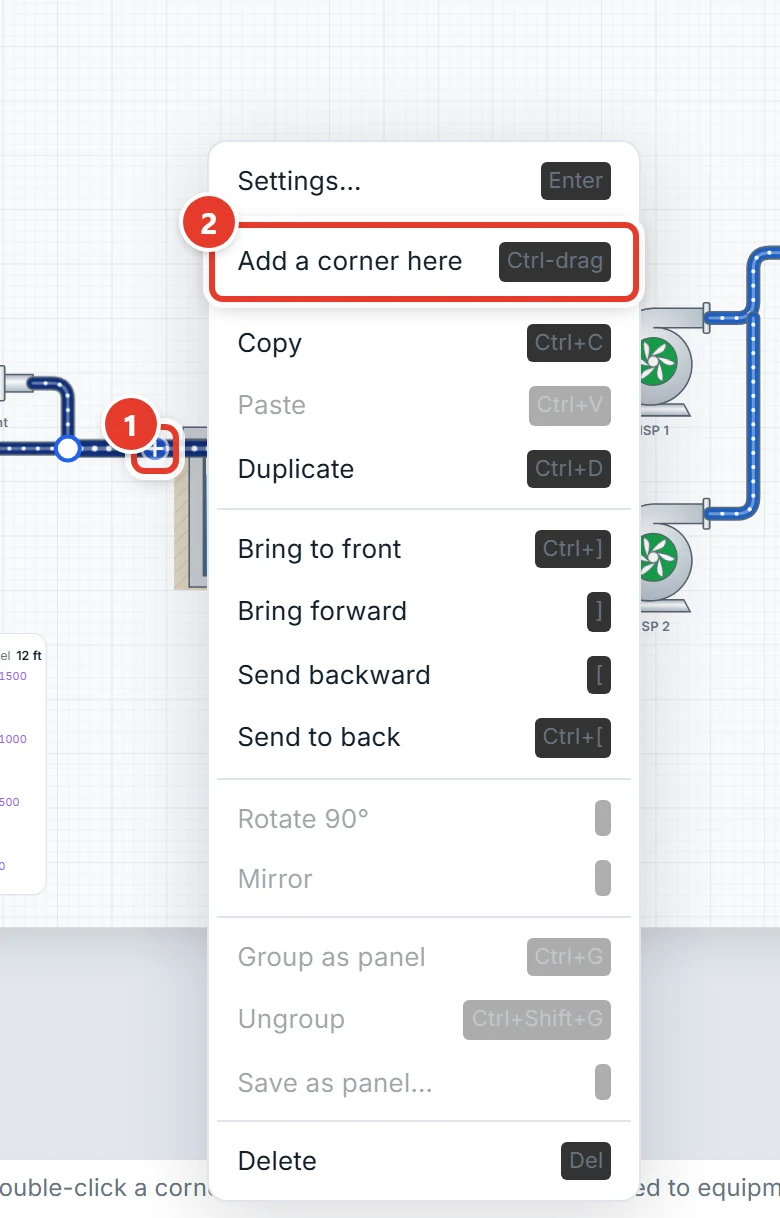
- Select a pipe: each straight run shows a + halfway along. Drag it to make a new corner.
- Or right-click the pipe and choose Add a corner here.
You can also hold Ctrl and drag anywhere on a selected pipe. To remove a corner, double-click it, or right-click it and choose Remove this corner.
How a pipe shows water flowing
A pipe animates when its Flowing when tag is on. When you connect a pipe to an equipment outlet, it takes the equipment's running tag by itself: the pipe out of a filter gets the filter's In service, the pipe on a pump's discharge gets Running, the pipe after a flow meter gets its Flow. You can pick a different tag for any pipe; once you do, the designer leaves it alone.
| Equipment | Outlet | Flowing when |
|---|---|---|
| Pump, blower, chemical feed skid | Discharge | Running (or Call) |
| Compressor | Outlet | Running |
| Filter | Influent, effluent | In service |
| Filter | Backwash supply, backwash waste | Backwashing |
| Filter | Filter to waste | Filtering to waste |
| Filter | Air scour | Air scour |
| Valve | Right-hand end | Opened feedback |
| Modulating valve | Right-hand end | Position feedback above 0 |
| Pressure-reducing valve | Right-hand end | Position |
| Flow meter, weir | Downstream end | Flow above 0 |
| Lift station wet well | Each pump's discharge | That pump running |
A header fed by several pumps or filters can flow when any of them runs: use an expression or Several tags (any / all of them)… for its Flowing when.